
Handing Over Materials in Prism: Three Files, a Table, and the Next Task
· Prism
Hand over legal work through Prism so a colleague receives the material, current result, and a specific next task. Use an agreement review to prepare the brief, two versions, and change table for continued work.
1. Assemble the collection
Add the previous version, received version, and brief to a Prism project. Prepare a comparison and retain it in Files. Name the current output, such as “Payment questions”.
2. Prepare the note
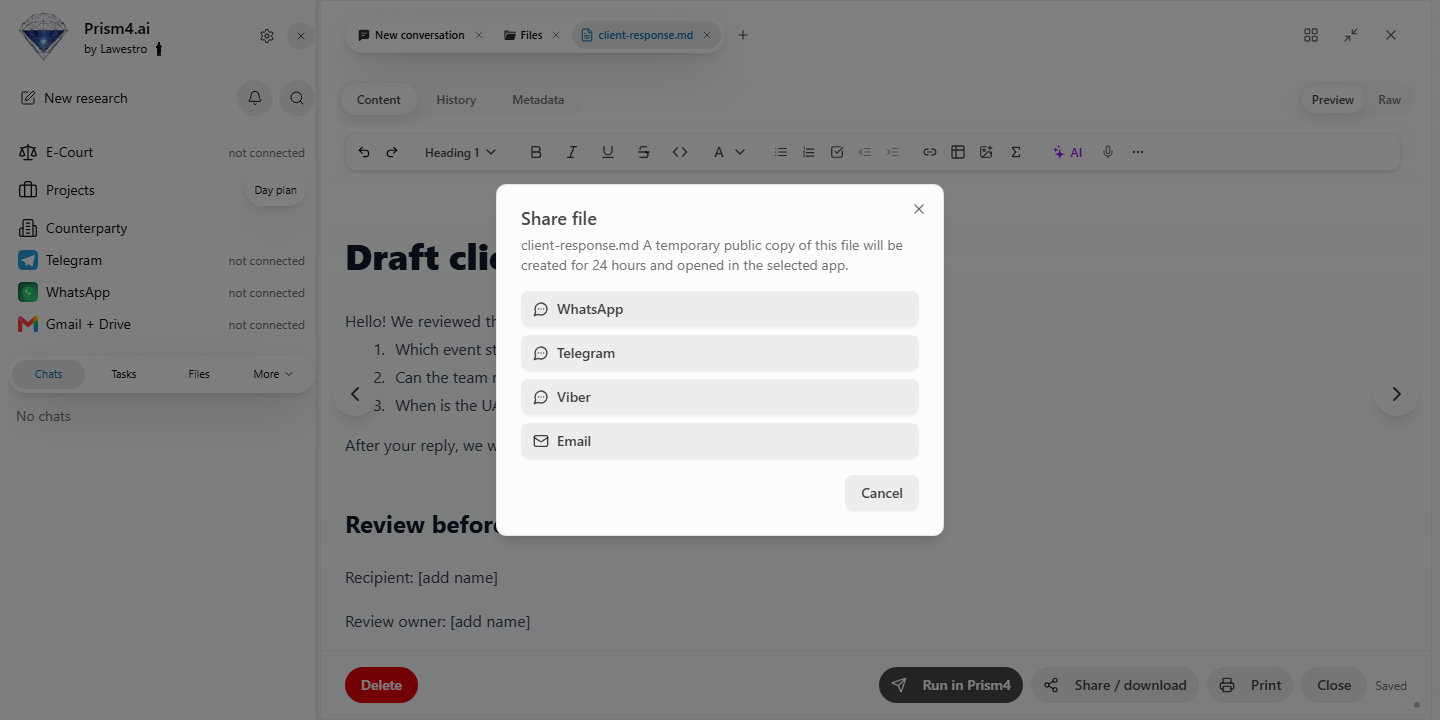
Create a handover note for these materials. Identify the purpose, three source files, latest output, and next task. Keep a link to the required material for each item.
3. Define the colleague’s task
| Handover item | Contents |
|---|---|
| Purpose | Agree the payment arrangement |
| Sources | Brief, v1, and v2 |
| Output | Change table |
| Next action | Resolve three questions |
| Return | Updated table and draft |
Check that the recipient can open linked files. For an exported document, inspect its contents before sending it.
4. Continue after the reply
Add the colleague’s decisions to the same project. Ask Prism for the next agreement version and a list of changed clauses.
Choose Prism for a handover that gives the next participant sources and a clear action. Every participant can see the sources, current question, and output. For another round, update the relevant row and file version. Use the Prism workspace and connected tools to keep the handover connected to the matter.