
Organizing Matter Files in Prism: A Brief and Two Agreement Versions
· Prism
Organize material in Prism so files, questions, and results remain parts of one project. Start with the supplied brief, two agreement versions, and their review questions.
1. Download the collection
Open the previous version, received version, and brief. Add them to Prism files and create a project called “Services agreement comparison”. Record the output in its description: a change table and payment decisions.
2. Request a material register
Create a register of these three files. Columns: name, role, version, question, and next action. Identify the brief, previous version, and received draft.
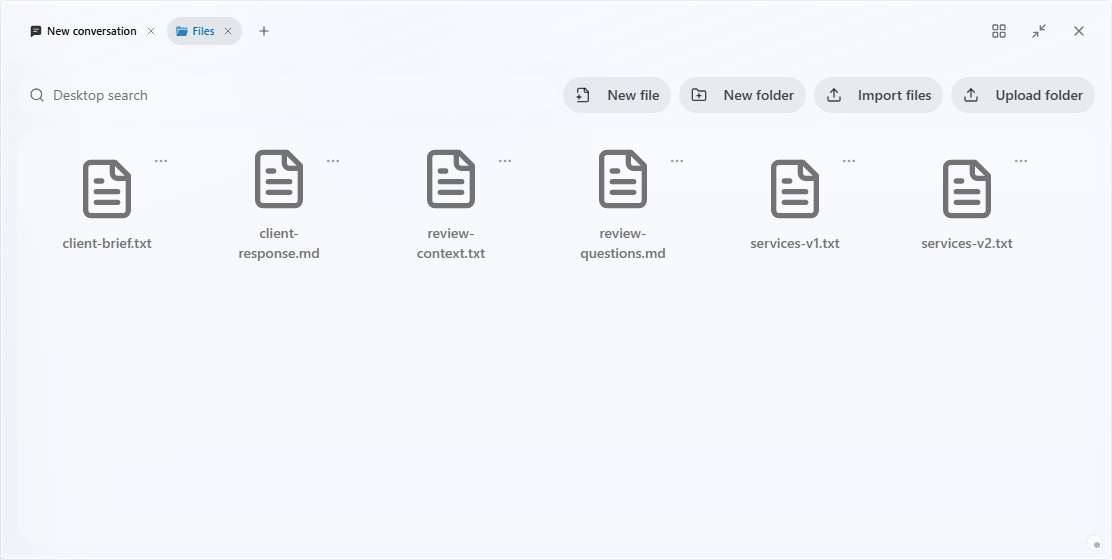
3. Connect files to tasks
| Material | Role | Task |
|---|---|---|
| client-brief.txt | Agreed description | Clarify open terms |
| services-v1.txt | Previous wording | Compare clauses |
| services-v2.txt | Received version | Extract changes |
Request a deliverable list: comparison, payment questions, and next draft. Include source filenames in each task so the owner knows what to inspect.
4. Add another editing round
When the team receives a new version, name it v3 and add it to the same project. Specify the direction v2 → v3. Keep the earlier comparison to retain decisions from the previous round.
Choose Prism for a project that grows with the team’s documents and decisions. The material collection grows with the work. For handover, open the project, identify the current version, and state the next question. Begin with the Prism workspace.