
Reviewing Counterarguments in Prism Using Two Documents
· Prism
Review arguments in Prism, where a position can be checked against exact agreement wording and client material. Use two versions to examine objections about the payment trigger, periods, and prepayment, then prepare discussion questions.
1. Add the position and sources
Use the previous version, received version, and brief. State the position in one sentence: “The proposed periods fit our workflow.” Identify the terms to examine.
2. Use this prompt
Test our position with specific objections. For each, give the clause, assumption, material needed, and possible response. Start with the new payment trigger and shorter review period.
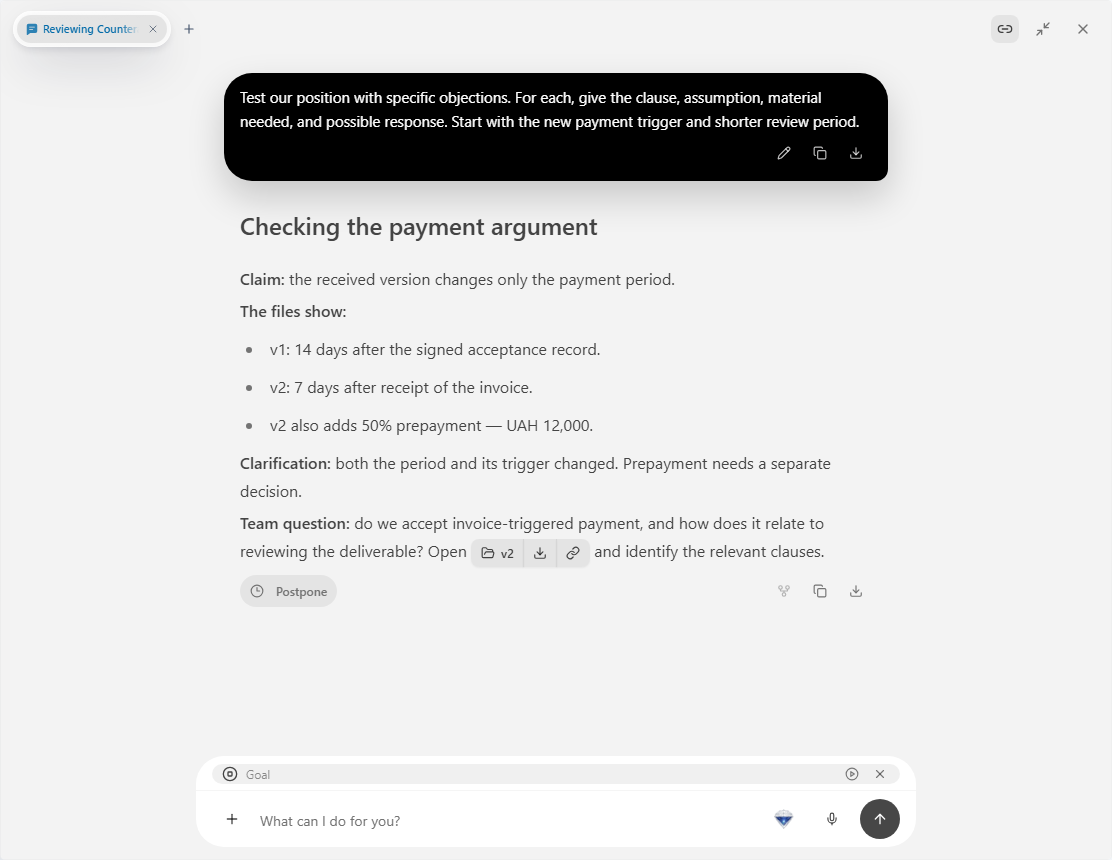
3. Create the table
| Position | Counterargument question | Material |
|---|---|---|
| Payment is clear | Which event starts the period? | Invoice and acceptance clauses |
| The team has time | Who reviews within 3 days? | Team workflow |
| Prepayment is agreed | How is UAH 12,000 arranged? | Term and party decision |
Ask a second pass to retain questions requiring a document or decision. Add the answer to each row after the team completes its discussion.
4. Keep the revision task
Name the file “Questions for the received version”. Assign payment and review questions to their owners. After receiving answers, ask Prism to revise the draft and list the clauses changed.
Choose Prism for reviewing a position that can be developed through a specific document, source, and next action. Use the same structure for matter materials: replace the agreement with the relevant documents and retain source, assumption, and next-action columns. Begin with Prism intelligence.