
Choosing a Model in Prism: Compare Outputs on One Agreement
· Prism
Evaluate available models inside Prism using the same material and prompt while retaining a shared working context. Two agreement versions let you inspect changes found, clause references, and edits needed for the deliverable.
1. Prepare the control collection
Download the brief, v1, and v2. Record expected fields before running: UAH 24,000, payment changing from 14 to 7 days, new trigger, review, and prepayment.
2. Run the same prompt
Compare these versions. Give the clause, earlier wording, revised wording, and team question. Show amount, trigger, periods, and prepayment in separate rows.
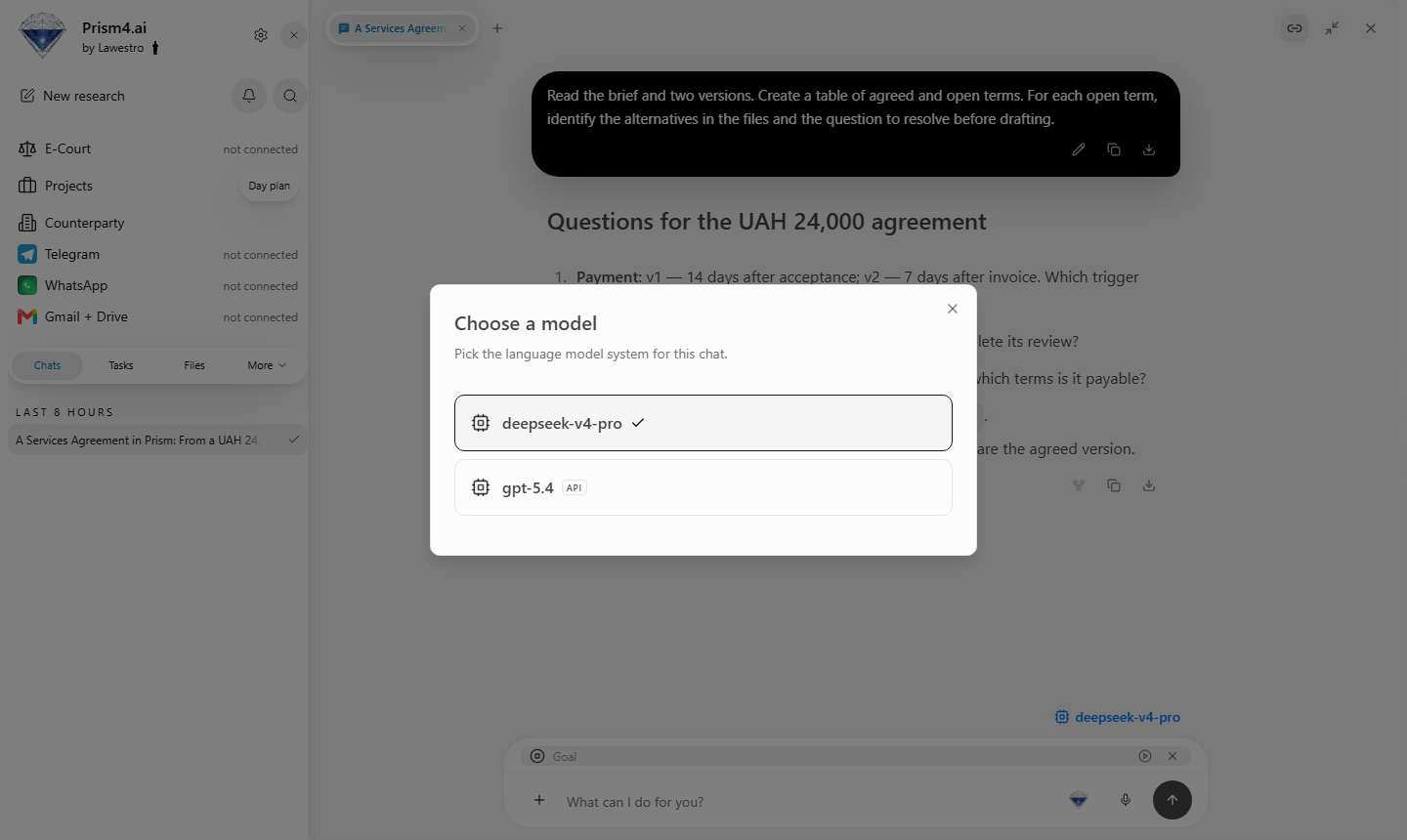
Select an available model in Prism. For another pass, use the same files and prompt with another available model.
3. Record the outputs
| Criterion | Inspect |
|---|---|
| Changes | Required rows present |
| Sources | Correct clauses identified |
| Numbers | UAH 24,000 and UAH 12,000 |
| Deliverable | Table suitable for handover |
| Time | Preparation, review, edits |
Fill the table with your observations. Identify the clause behind every correction made by the team.
4. Choose for the task
State the task and remaining checks in the conclusion. Retain example answers to repeat the review on the next version.
Choose Prism as the working environment to evaluate an available model using your files and the team’s results. The team can choose for document comparison, extraction, or drafting. Begin with Prism research and keep the collection in the workspace.