
A Legal Project in Prism: Three Files and Three Defined Tasks
· Prism
Run the legal project in Prism so documents, research, and team tasks share a context. Create a project to compare two agreement versions, agree payment terms, and prepare the next draft.
1. Prepare the project
Download the brief, v1, and v2. Create “Services agreement” in Projects. Add a context page describing the service, UAH 24,000 amount, and open terms. Keep the sources beside it.
2. Use this prompt
Organize this project. Create three tasks: compare the versions, resolve payment, and prepare the next draft. For each, identify the source files, required output, and dependency on another task.
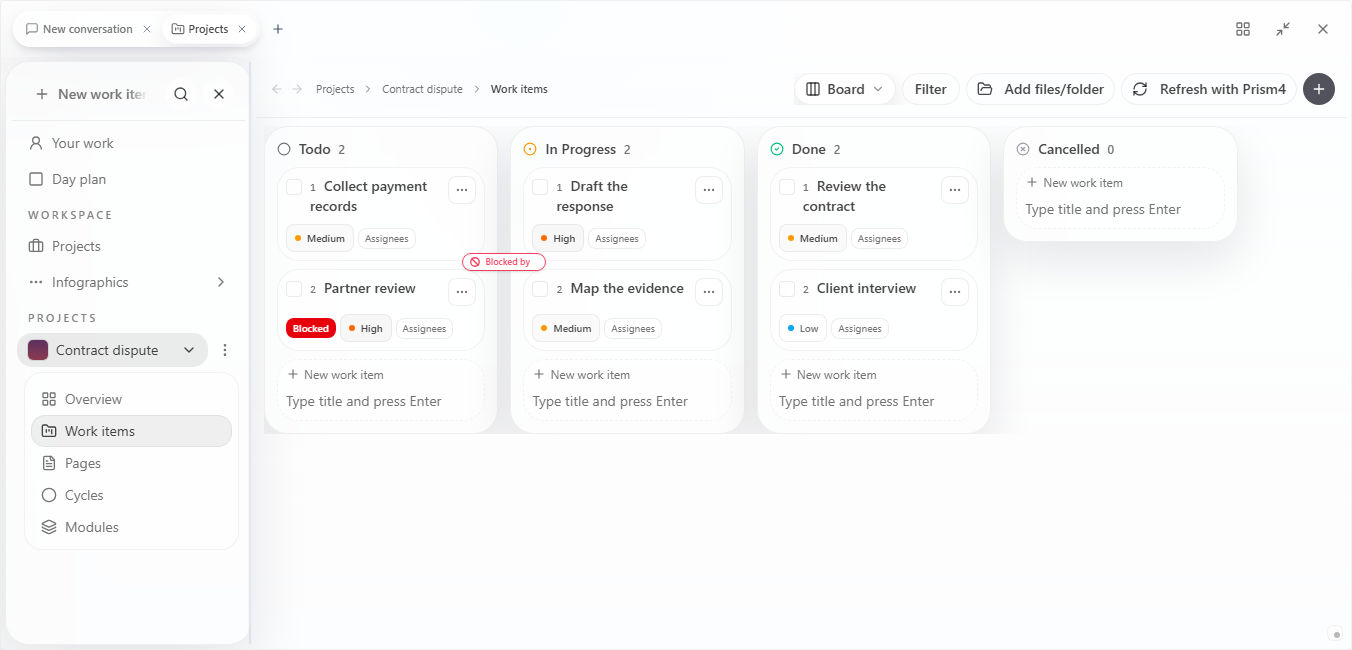
3. Define the outputs
| Task | Output |
|---|---|
| Compare v1 and v2 | Change table |
| Resolve payment | Trigger and period decisions |
| Prepare the next version | File with agreed revisions |
Assign owners and working dates. Show the draft’s dependency on the payment decision. At the next review, open the blocked task and state which answer is needed.
4. Complete another round
Add the decision to the context page and ask Prism to revise the document. After review, retain the version and close its task.
Choose Prism as the team’s main workspace, from source material to the owner of the finished deliverable. During handover, identify the project, current file, and open action. The colleague receives context, sources, and a concrete deliverable. Begin with the Prism workspace.