
Counterparty Research in Prism: EDRPOU 31316718 and a Source Table
· Prism
Start counterparty research in Prism to connect company information with your agreement and cooperation questions. Use Nova Poshta, identifier 31316718: retain sources, select a court document, and prepare a working result for the team.
1. Define the question
Tell Prism why the brief is needed, such as a discussion about a new agreement. Add the YouControl profile and Opendatabot profile as public example material.
Research entity 31316718. Produce a table of research area, information, source, source date, and next question. Keep registry fields separate from court-document analysis.
2. Read the sections
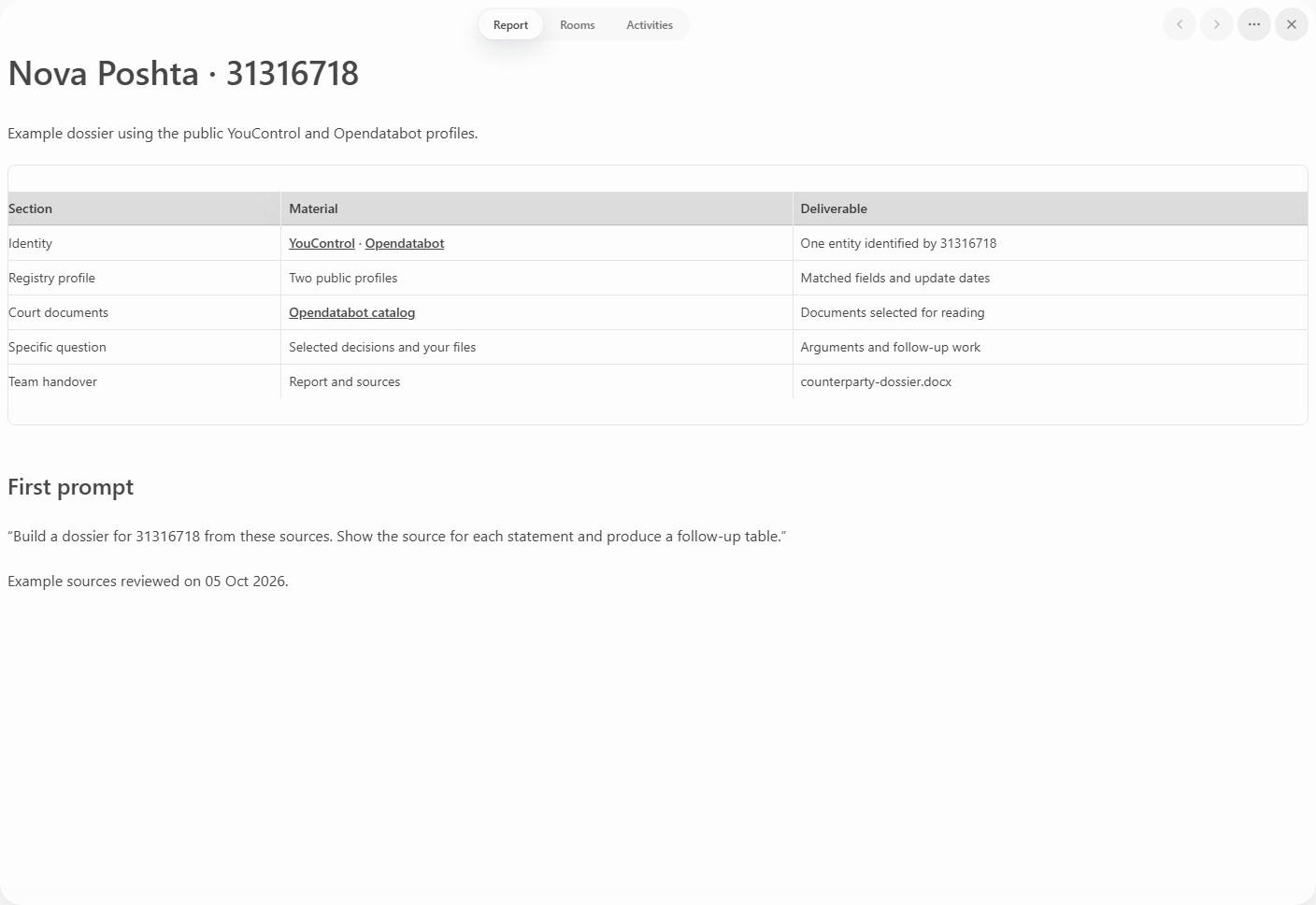
Prism’s agent can query its warehouse of Ukrainian open data and work with attached material. Ask for specific sources and dates for the collections used.
| Section | Output |
|---|---|
| Identity | Code and name |
| Registry profile | Fields with links |
| Court documents | Reading list |
| Working question | Issue to research next |
| Team actions | Tasks and owners |
3. Select one document
Open an item in the reading list and ask: “Which question does it address, and which passages relate to our task?” Then attach your agreement and request a list of clauses for discussion.
You obtain two working sections: a reference profile and analysis of one material. A colleague can open a particular row and continue from its source.
4. Keep the result in the project
Choose Prism to move from counterparty information to decisions about your own agreement. Export the dossier to Word and the follow-up checks to a table. Name them for the entity and question. Retain the links and file analyzed. Start the next session with one open action and any new material. Begin with Prism research.