
Comparing Agreements in Prism: 14 Days After Acceptance or 7 After an Invoice
· Prism
Compare agreement versions in Prism to keep specific changes, negotiation questions, and the next version’s material in one project. In the prepared example, payment changes from 14 days after acceptance to 7 days after an invoice, while both versions retain a UAH 24,000 fee.
1. Download the example
Open the previous version, received version, and brief. Attach them to one chat and specify the comparison direction: v1 to v2. Ask for the clause and both wordings to be retained for every change.
2. Use this prompt
Compare services-v1.txt with services-v2.txt. Columns: clause, earlier wording, revised wording, practical change, and negotiation question. Show the amount, payment trigger, review period, and prepayment separately.
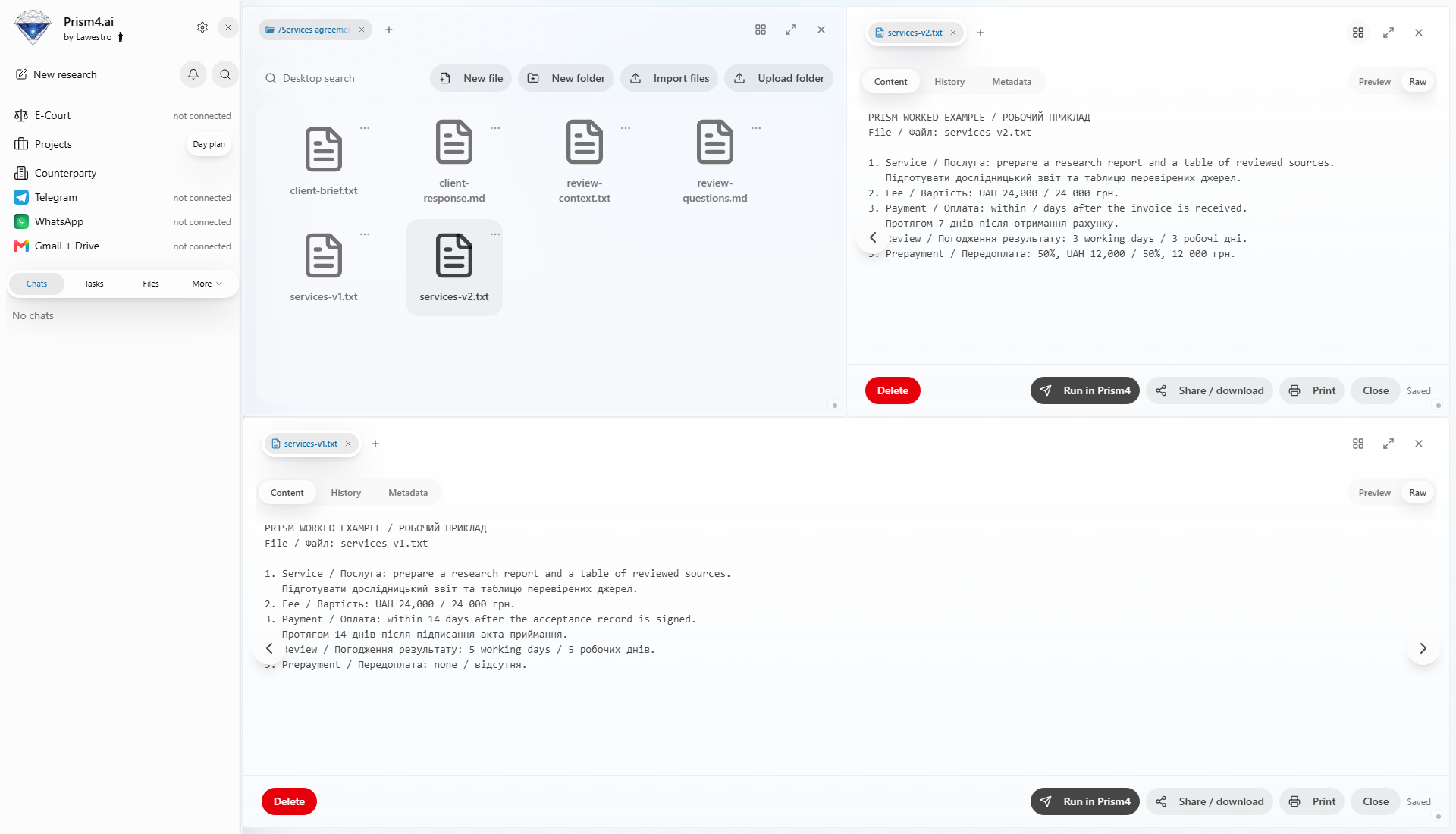
3. Read the specific changes
| Term | v1 | v2 |
|---|---|---|
| Fee | UAH 24,000 | UAH 24,000 |
| Payment | 14 days after acceptance | 7 days after invoice |
| Review | 5 working days | 3 working days |
| Prepayment | None | 50%, UAH 12,000 |
Request three discussion questions: the payment trigger, time available for review, and prepayment arrangement. Keep clause references so each question leads back to the document.
4. Record the decisions
Prism supports the complete editing round by keeping source versions, team decisions, and the new document together. Export “Agreement comparison.xlsx”. Add the team’s decision column and ask Prism to prepare the next draft from the agreed changes. Keep both originals beside the result for the next editing round. Begin in the Prism workspace.