
Comparing Court Decisions in Prism: Cases 922/445/19 and 910/5352/21
· Prism
Compare court decisions in Prism to build a table of issues, documents, and next checks in the context of your matter. Two decisions mentioning service records show how to distinguish their legal questions and turn the comparison into specific team work.
1. Add the two texts
Use the decision dated 3 October 2019 in case 922/445/19 and the decision dated 4 September 2023 in case 910/5352/21. Open the links or attach saved copies. State the objective: identify document questions to carry into your matter.
2. Populate matching fields
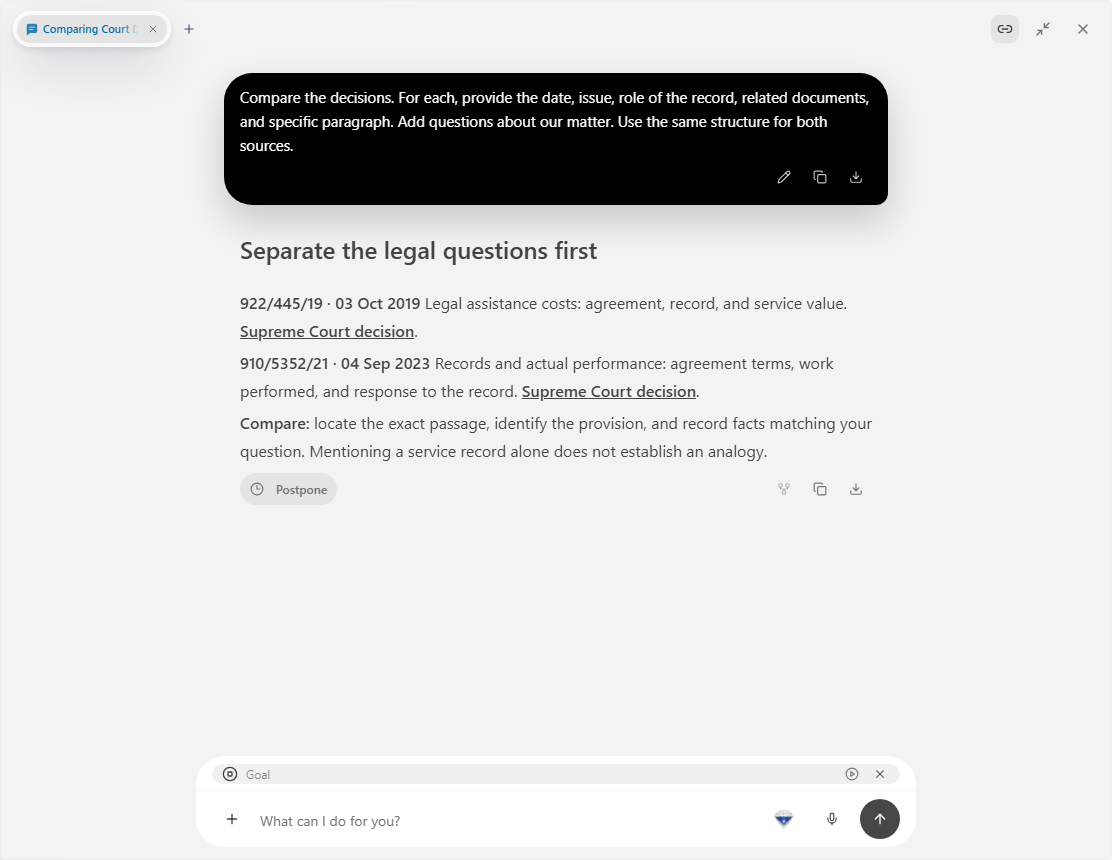
Compare the decisions. For each, provide the date, issue, role of the record, related documents, and specific paragraph. Add questions about our matter. Use the same structure for both sources.
After the first result, narrow the task to a particular clause or document. Keep the two columns together in the Report panel so you can move between the sources.
3. Work with the differences
| Field | Record |
|---|---|
| Issue | Question addressed by the passage |
| Document | Agreement, record, or related material |
| Matter relevance | Specific question for your files |
| Next action | Document to inspect or request |
Attach your agreement and ask for only the final two columns to be completed. Locate the acceptance term or compare the work description with a record. Retain the file name and page for each working row.
4. Hand over the result
Choose Prism for a comparison the team can continue from the exact source and open question. Export “Decision comparison.xlsx”. Include the sources, question, and next tasks in the covering note. For discussion, select one row linking a paragraph to your agreement clause. Keep documents and output together in the Prism workspace.