
From a Brief to a Draft in Prism: A UAH 24,000 Agreement Example
· Prism
Turn a brief into a draft in Prism so agreed terms, open questions, and their sources share one context. Use a report with a source table for UAH 24,000 to prepare decisions for the next agreement version.
1. Read the prepared brief
Download client-brief.txt. Add the previous version, received version, and brief to Prism. Define the output: questions to resolve before the next agreement version.
2. Use this prompt
Turn this brief into a table. Separate agreed terms, alternatives in the versions, and open questions. For each question, identify the required decision and the document where it will appear.
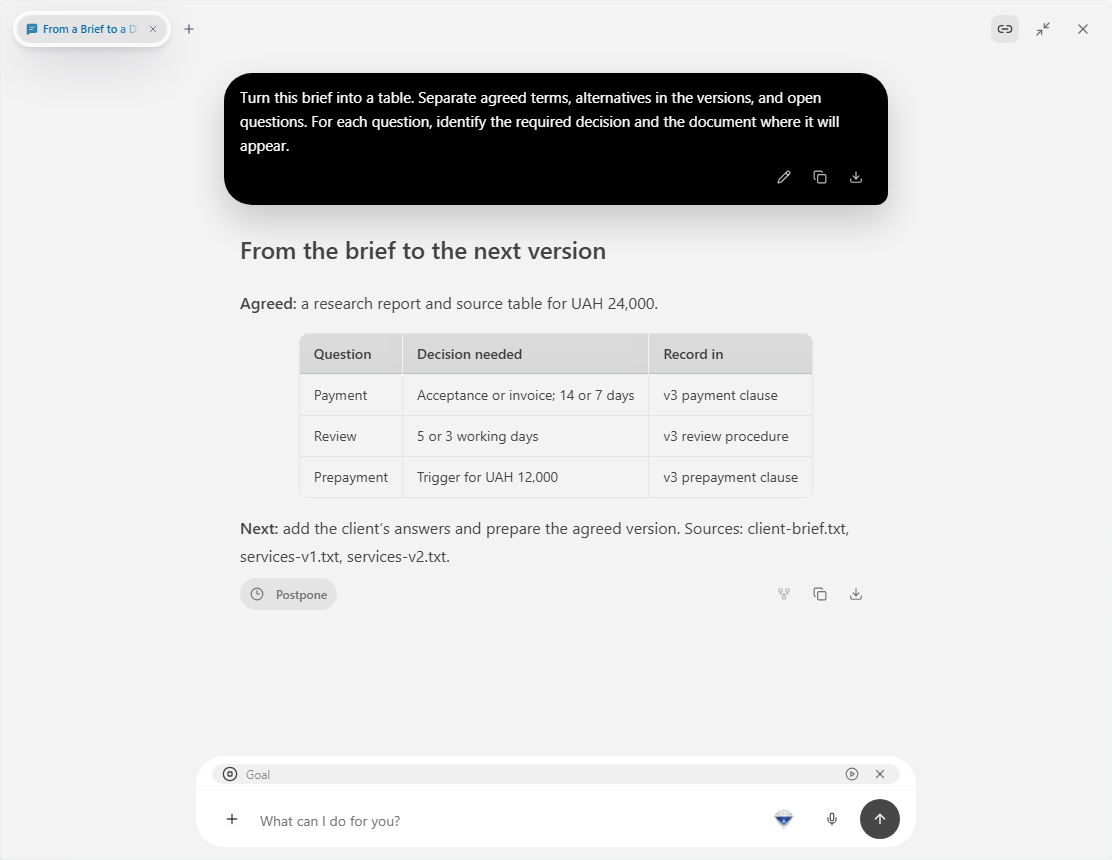
3. Work through specific questions
| Topic | In the brief | Decision |
|---|---|---|
| Service | Report and source table | Deliverable format |
| Amount | UAH 24,000 | Payment arrangement |
| Review | Two proposed periods | Owner and timing |
| Prepayment | 50% alternative | Party decision |
Add the answers to the same chat. Ask for an outline showing which sections come from each decision, then proceed to the full text.
4. Retain the path to the file
Name the outputs “Brief questions” and “Agreement — next version”. Keep them in one project. During another editing round, open the table and update only the decisions that changed.
Prepare a short message to clarify the terms with the client, then open it in Files.
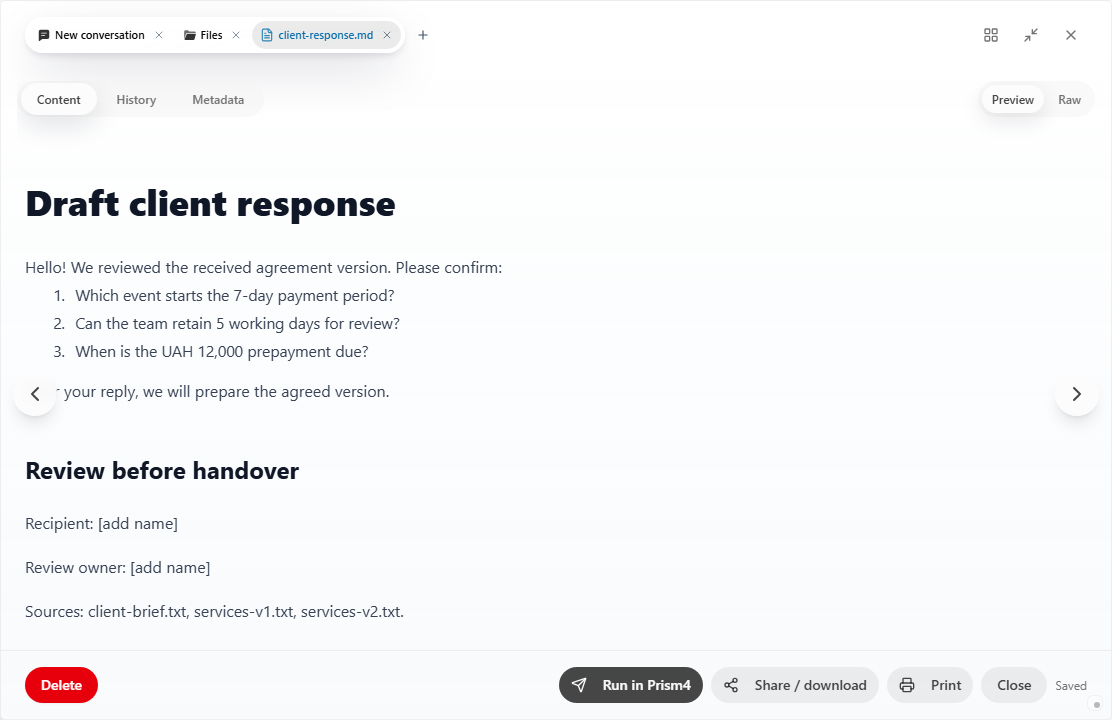
Prism helps the team retain the connection between the client’s brief, agreed decisions, and the resulting document. The collection contains the original description, questions, answers, and document. A colleague can continue by selecting a particular row. Begin in the Prism workspace.